Cookie Finance — May 2026

My Role
Lead UX Designer
Tools
Figma, Figjam, VS Code, Jira, Github
Team
2 Designers
2 Engineers
Duration
7 weeks
Bookkeeping Superview is Cookie Finance’s first AI-assisted accounting ledger, designed to help internal bookkeeping teams categorize, review, and resolve thousands of transactions in one shared workspace.
Our bookkeepers managed 100+ clients at a time, while Historical Cleanup could involve 1,000 to more than 10,000 transactions for one client. Our goal was to introduce AI without hiding its decisions, disrupting familiar workflows, or allowing transactions to fall through the cracks.
As Lead UX Designer, I owned the design process from research to launch. I led six user interviews, mapped the workflows across bookkeeping teams, and translated those findings into the final UX and UI. I worked closely with executives, bookkeepers, Creator Accountants, and developers to move Superview from an early concept into a working product.
I stayed involved throughout implementation and led extensive design QA to ensure the experience worked across transaction states, bookkeeping roles, and edge cases. I also made the company’s AI strategy understandable in the interface, helping bookkeepers focus on uncertain transactions while keeping automated decisions visible and correctable. After launch, one bookkeeper categorized 117 transactions in one click, and a Creator Accountant called Superview a “massive, significant improvement.”
The Highlights
An end-to-end AI assisted accounting ledger
The Context
Bookkeepers were buried in transactions
Ongoing bookkeepers managed portfolios of more than 100 clients. Historical Cleanup bookkeepers faced a different kind of volume, with individual cleanups ranging from 1,000 to more than 10,000 transactions.

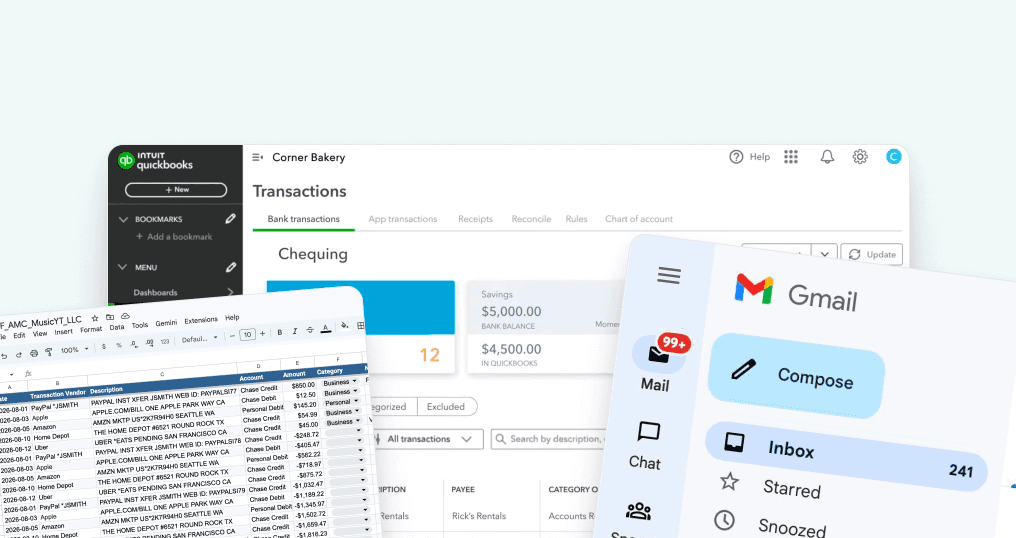
QuickBooks was slowing them down
Most of the work happened inside QuickBooks, but QuickBooks often made the job harder.
It could take several minutes to load, consume large amounts of memory, disconnect bank accounts, and force bookkeepers through repetitive workflows.

The Opportunity
Letting the workflow shape the product
Building our own ledger gave us the opportunity to design around Cookie Finance’s actual workflow instead of continuing to work around someone else’s product.
More importantly, we could build for the people who were already doing the work.
Using AI to remove repetitive work
A large portion of categorization appeared repetitive. AI gave us a chance to handle predictable transactions automatically and reduce the number of decisions bookkeepers needed to make by hand.
Even a modest reduction would compound across portfolios of more than 100 clients.
OPPORTUNITY
Let AI handle the obvious work so bookkeepers could spend more time on the transactions that actually required judgement.
The Complication
Transactions are complicated
At first, categorization sounds easy to automate. An Uber ride is ground transportation, Zoom is technology and Starbucks is a meal.
But sometimes, transactions can be so ambiguous that you would need to build the intuition to know how to categorize the transaction.

Transactions meaning could change depending on the client
The meaning could also change depending on the client. A restaurant charge might be a "Meal" for one creator, but for a food creator, it could be categorized as "Cost of Goods".
This was why bookkeepers checked more than the merchant name. They used bank details, transaction direction, previous activity, client notes, business type, and historical decisions.

AI Trust
Trust had to be earned
From our Bookkeepers' experience with Quickbooks' AI, it hasn't been the most accurate. So, they would rather do the manual labor instead of redoing the AI's entire work again.


PROBLEM STATEMENT
How might we let AI handle predictable work automatically while keeping its decisions visible, traceable, and easy for bookkeepers to correct?
The Solution
Keep the muscle memory
With an experimental feature and limited trust in AI, I did not want the ledger to feel unfamiliar or overly futuristic.
Instead of placing AI at the center of the interface, I kept the bookkeeping workflow familiar and placed AI inside it.
Letting AI work without letting it hide
I used a sparkle icon to identify a transaction categorized by AI. A person icon identified work completed by an employee.
Bookkeepers could scan completed transactions, see where AI had acted, and reopen or recategorize anything that looked wrong.
One transaction, four possible stops
I organized Superview into four tabs:
Pending → For Review → AMC Sent → Completed
These were not four unrelated pages. They represented the different places a transaction could go as it moved through the bookkeeping workflow,
Launch Response
People felt the difference.
After Bookkeeping Superview launched, the reactions gave us strong early signals.


Insights
My Takeaways from this project…
Trust is shaped by design
Small UI choices, like showing when AI had acted and keeping its decisions easy to review and correct, helped make automation feel more understandable and trustworthy over time.
Fit the product into the workflow
I learned that the best solution was not to force people to learn / add AI into their workflows, but the best adoption happens when we design AI into the way they already worked.
Familiar does not mean unoriginal
A new product does not always need a completely new interaction model. Keeping familiar actions reduced the learning curve and made the smarter parts of Superview easier to adopt.